mirror of
https://github.com/elcritch/fidgets
synced 2026-01-08 08:21:20 +00:00
No description
| .github/workflows | ||
| data | ||
| examples | ||
| src | ||
| tests | ||
| .gitignore | ||
| config.nims | ||
| fidgetty.nimble | ||
| LICENSE | ||
| README.md | ||

Fidgetty
NOTE: Checkout Figuro the successor to Fidgetty
Widget library built using a fork of Fidget written in pure Nim and OpenGL rendered.
Demo application in example/demo.nim:
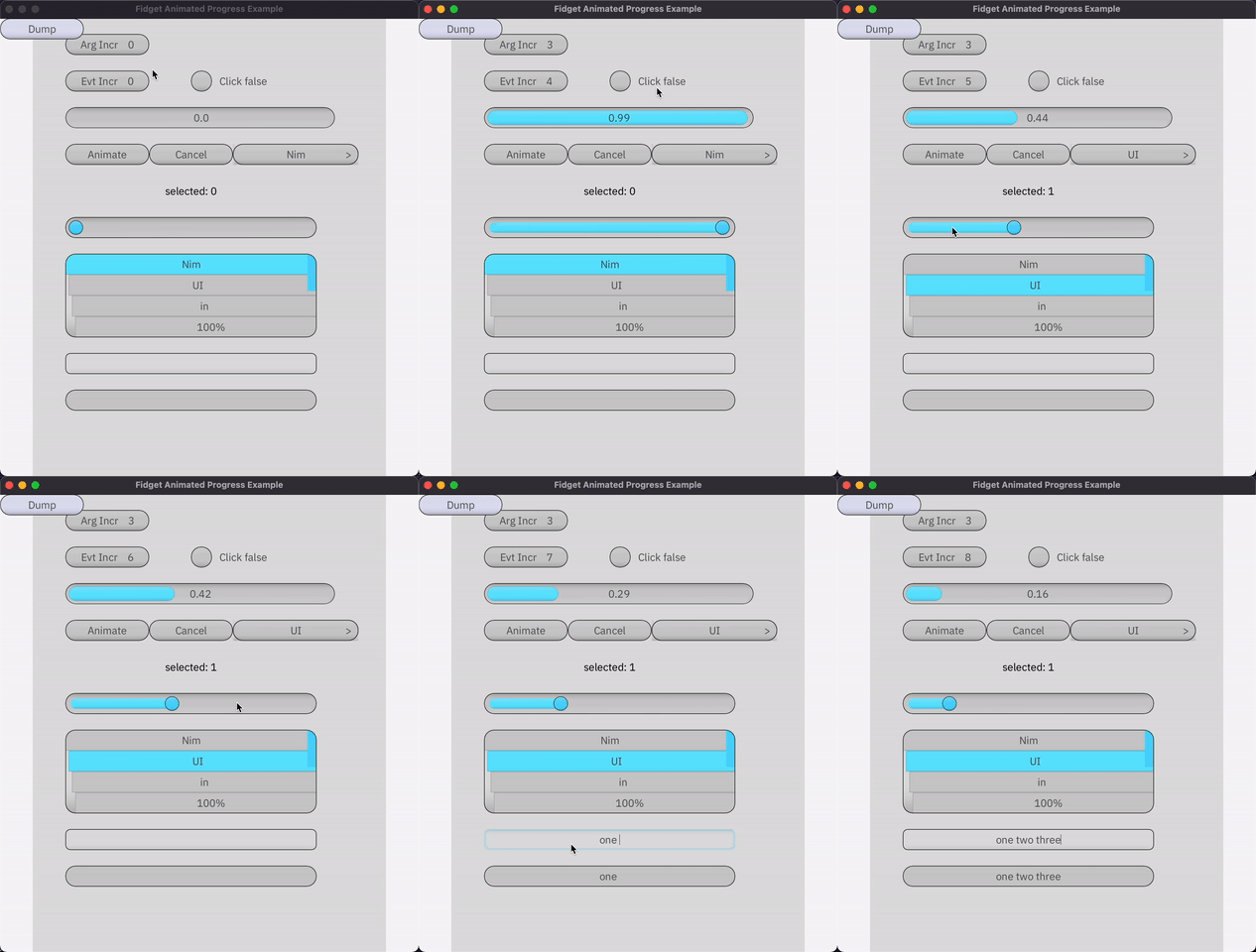
nimble install -d
nim c -r examples/demo.nim
Example widget and application:
import std/strformat, std/hashes
import fidgetty
loadFont("IBM Plex Sans", "IBMPlexSans-Regular.ttf")

fidgetty CounterButton:
  properties:
    label: string
  state:
    count: int

proc new*(_: typedesc[CounterButtonProps]): CounterButtonProps =
  new result
  fill palette.foreground

proc render*(
    props: CounterButtonProps,
    self: CounterButtonState
): Events[All]=
  clipContent true
  cornerRadius theme.cornerRadius
  onHover:
    highlight palette
  onClick:
    self.count.inc()
  text "counter button":
    boxSizeOf parent
    fill palette.text
    characters  fmt"label ({self.count})"
    textAutoResize tsHeight

type
  AppState* = ref object
    count1: int

proc exampleApp*() =
  ## defines a stateful app widget
  frame "main":
    font "IBM Plex Sans", 16, 200, 0, hCenter, vCenter
    let self = withState(AppState)

    CounterButton:
      centeredXY 8'em, 2'em
      onClick:
        echo "hi!"

startFidget(
  exampleApp,
  setup =
    when defined(demoBulmaTheme): setup(bulmaTheme)
    else: setup(grayTheme),
  w=640, h=400,
  uiScale=2.0
)